
Friday, February 5, 2010

Fun with Coils and Springs

Extrudes and cuts and go a long ways to creating some cool parts, but they can not do everything. I have always known about the Helix tool in Solidworks (Insert>Curve>Helix) but recently a few things prompted me to realize the limitations of Helix's. The first thing that happened was I had to create a model that would have required a helix that curves. When creating a helix however it is only possible to do so in a single direction. Variable pitch and diameter option are helpful in creating more complex helices but still they are lacking. The second catalyst, which rang clearer, was a comment at a breakout session I attended at Solidworks World. In the Stump the Chumps session, which includes a who's who of bloggers, power forum users, and SW employees, a question arose that could be solved using a helix. Charles Culp (the leader and guru of the Solidworks forums) and Matt Lombard (the Solidworks Surfacing Bible author) both agreed that using curves was NEVER the answer. Charles stated that any time he creates a helix his next step his to create a 3D sketch hit convert entities, turning his curve into a 3D sketch. Matt seemed to think any curve required can be created using surface tools (surprise!) and that these surfaces are more predictable and more easily controlled. So, let's see what all of these options are.

Simple Coils

The picture below shows a few basic coils. Initially all of these look the same, and geometrically they are. Each is 4 inch diameter, 5.25 inches in high coil. All three contain 5 coils, and have a wire thickness of .25inches.
Image 1: Identical Coils
Simple Coil Options
So how are these parts different, in the method of creation of course. The image below shows the expanded feature tree of each component.

Fig. 1
Simple Coil or Spring option in Solidworks
Method 1 (far left in Fig 1): Sweep twist along path. This one is easy and all it takes is a little known option in the "Sweep" command. Select twist along path and voila! You never actually define the path of the coil but for simple items it works.

Video 1: Coil using Profile Sweep-Twist Along Path
video

Method 2 (center Fig 1): Sweep using helix as path. In the video I have already set up the helix at a 270deg start angle to ensure that my profile sketch on the right plane will piece the helix at the end point. A 3D sketch would also solve this problem if I didn't set the angle correctly, but we can see here where Charles and Matt may take issue with curves. You do however get to create the path of the coil, and visually seeing it before creating is helpful.

Video 2: Coil using Profile Sweep- Helix as Path


Method 3 (far right Fig 1): Sweep using surface edge as path. Create and view the path of the profile, check. Easily locate the profile on the vertex of the surface, check. By creating the surface and selecting the edge at the path more folders are added to the tree to deal with the surface body. This is an easy fix, simply select and hide the surface after the fact, unless you like looking at the fun slide-like geometry. This option is the most resource intensive but also the most predictable and as things get more complicated this work flow looks like a great option.

Video 3: Coil using Profile Sweep- Surface Edge as Path
video


Curved Coils


I noted at the beginning of this post that my prompt for looking into coils included the need to create curved coils. For example purposes I created a coil that is circular. The below pictures show two options of a profile twisting around a circle. To help illustrate I made the circle a solid body as well.
Image 2: Curved Coils

The issue I was having initially was that when creating these curved coils my original work flow always caused my profile to get compressed. Unless the profile is kept normal to the path it is sweeping over this "smushing" effect kept occuring. The "twist along path normal constant" sweep option was not helping any. Below is a visual of what was occuring.

Image 3: Curved Coil Problems
On the left, my initial sweep work flow was getting smashed. Using the existing surfaces it was simply guesswork (or rather, a severely complicated hand calculation) to be able to get the profile in such an orientation that it would stay normal to the sweep path. On the right, by using the surfaces to create my path it gave me the ability to add a plane. Once the path was created I added a plane that was normal to the path at a point, than it becomes possible to have the profile piece the path at a normal.


Step by Step: How to create a coil using a Surface Edge path
Step 1: Start out by creating a single circular sketch. This will be the major circle around which everything happens. Mine is dimensioned to 20 inches.

Step 2: Next create a line segment on a perpendicular plane. Make sure the the end of the line segment pierces the original circle.


Step 3: Insert a surface sweep. Use the line segment as the profile, and the major circle as the path. Under the "Options" select Twist along path. Insert the number of twists required. Mine is arbitrarily picked at 13.

Step 4: Next insert a plane. This will be used to sketch the profile of the coil. For my relations I selected the edge of the surface and made the plane perpendicular. I also selected the origin.Step 5: Below the plane is now inserted.

Step 6: Select the plane and start a sketch. Draw a small circle and dimension it with the coil wire diameter. Select the center of the circle and Ctrl-Click the edge of the surface. A property manager will come up to add relations. Select Piece. Because the plane is perpendicular to the sketch surface this means the center of the whole is pieced perpendicular.


Step 7: Insert a sweep feature. Select the circle profile created in the previous step as the profile. Select the surface edge as the path. The perpendicular pierce relation will be maintained along the sweep path keeping the profile perpendicular to the path at ALL points. This is key to not "smushing" the resultant coil.

Step 8: The Surface body still remains. Locate it in the feature tree.
Step 9: Right click on the surface and select "hide", the icon will now appear clear.

Step 10: Finally I created a final sweep to add perspective to my images. I created a new profile but used the same path from step 1.


The same theory can be applied to many sweeps. A further look at the surfacing tools will help to create more intricate surfaces edges that can be used as paths.

Rebuild Statistics for Coil Methods

Because there is nearly always more than one way to create a part I make it a point to occasionally look at the rebuilt times for the various methods. Typically the multiple options are similar to each other, reordering features, changing one feature to another, etc. For the current exercise the change is not so small. Not only are extra features required for the surface method, but entirely separate bodies must be created. With that said below are the build times for the

Fig. 2: Statistics for sweep NOT using surfaces for path

The above image shows the statistics on the rebuild of the "smushed" coil seen in the left panel of Image 2 and 3.

Below is the rebuild for the coil seen in the right panel of Image 2 and 3.

Fig. 3: Statistics for Sweep using Surfaces for path
It is then obvious that, as expected, using surfaces significantly increases the rebuild time.

Note: It was announced at Soildworks World 2010 that Solidworks 2011 will contain a feature that allows a user to lock a model along the feature tree to prevent the entire model from rebuilding. This "feature lock" tool will greatly impact the ability to quickly make changes to complex models.

What Can Helix Do for You?

So all of this surfaces business is fun, but that's not to say the simple helix option should be completely ignored. The ability to have variable pitch and diameter helices is a powerful tool and can go a long way in simplifying a design. Many standard springs can be created using only a single helix feature and a sweep. Add in a powerful design table and there is essentially no reason to even open a file to create a new spring.

Above is an example of a variable pitch (and variable diameter) helix. Playing around with the settings here is a good way to figure out what can be done. I've actually seen something similar to this sweep in a consumer device. The application I am thinking of was a water bottle that had an obnoxiously long straw that encircled the container.

I could fill another twenty minutes of scrolling texts with more examples but they would all boil down to the same basic principles. If I missed anything here feel free to drop me a line as I truly am looking for all the ways to create coils and I would love to add some more content.

Wednesday, February 3, 2010

3D Printing from the floor of Solidworks World

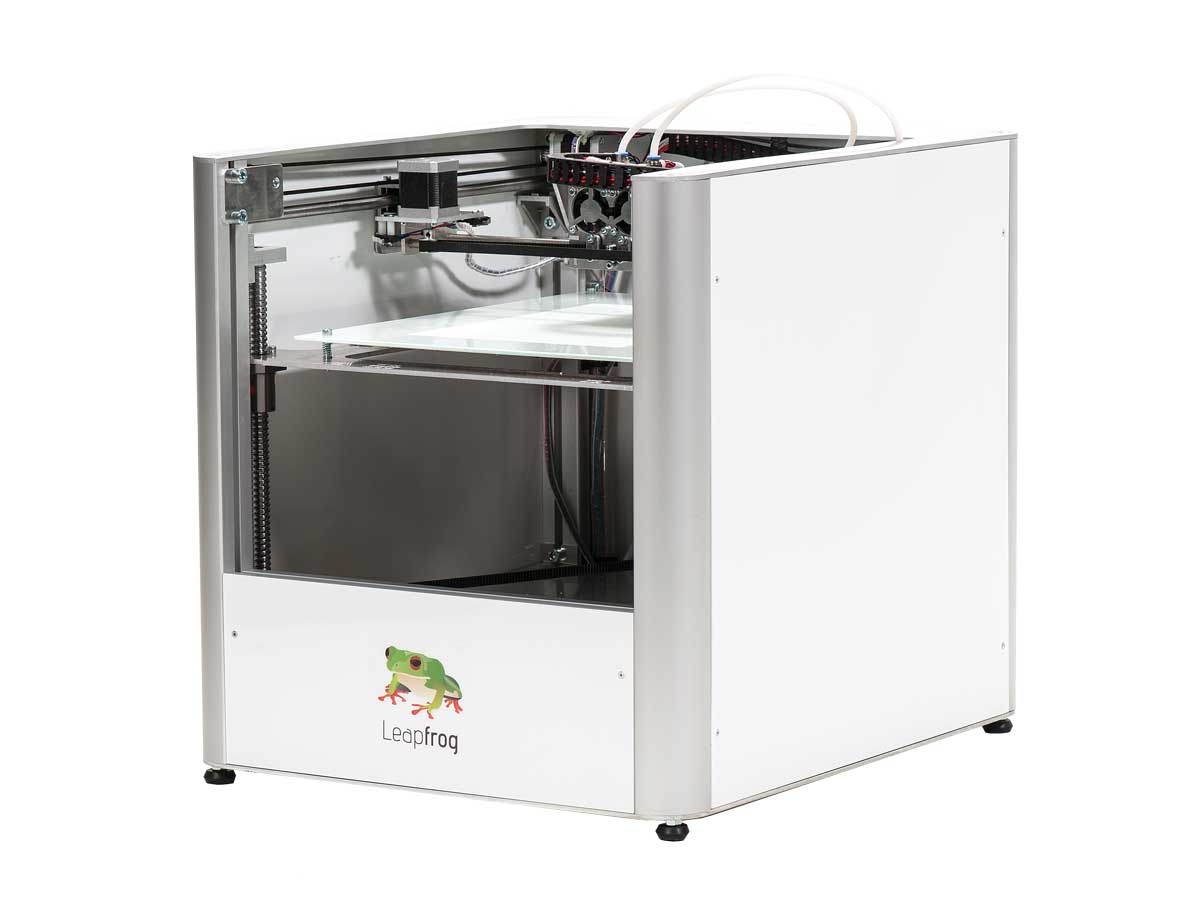
James Cameron alluded yesterday in his keynote that 3D printing played a major part in colonizing the world of Pandora in Avatar. Though printing out massive dump trucks on alien planets is still stuff of science fiction it is not all that far off. The partner pavilion here at Solidworks is loaded with rapid prototyping devices of all sorts. I showed earlier a few of the items that came off a ZCorp printer. Today I was given another one, this time a shiny red skull. The skull was built off of actual data from a human skull and is quite disturbing due both to the realism and the veined red coloring. Keep in mind the coloring here is all created directly in the print.

ZCorp Printed Skull presented to Chris McAndrew of www.3dengr.com

Of course skulls are fun desktop items, but what about real world applications. I had the chance to speak with Julie from ZCorp on the usability of printed items.


The pricing of ZCorp was not something I discussed, though "cheap" would not be the word that first comes to mind. The company shouting about their prices was Solido. Solido is a competitor, in a sense of ZCorp, but the material and capabilities are markedly different. ZCorp uses a powder to create their items and, as such, all material not used in the print can be reused. As a counterpoint Solido uses sheets of material and a razor to slide each layer. The requirement of sheets of material allows them to package their printer along with consumable "Kits". A kit contains all necessary materials, sheets, adhesive, cutters, to produce a part and there pricing announcement was a subscription service of kits (24) over a 36 month time period for the misleadingly low price of $514/month. I have neither the time nor the patience to create an apples to apples comparison for both products, needles to say both are still serious investments that are geared towards the corporate world rather than independent contractors or hobbyists.

Even at this hefty price it was exciting to see announcement that are bringing the futuristic option of desktop 3D printing closer to reality. Below Ron from Solido shows off some of the capabilities. Big thanks to Ben Eadie of Solidjott.com for the wonderful production and allowing me to take over his mike and step in front of the camera.

Tuesday, February 2, 2010

Videos from Solidworks World 2010

Below is the playlist of videos captured at Solidworks World 2010.

James Cameron at Solidworks World Keynote


When talking about the world of Pandora James mentioned that he “geeks out” on the why of science fiction. The manufacturing required to establish a society advanced enough to mine a rock and support the community than rise a host of questions. So how were these items; a dump truck as large as an arena, an armada of attack ships, and mining equipment all transported light years away. Simply, they were not transported. Rather the items on Pandora were created in a 3D printer. James mentioned he likes to know the background, the how of science fiction. Pre-fabricating and shipping so many complex components does seem like a logistical hurdle, even for a population that can travel light years. An easy solution than is to ship a single large machine that contains the ability to utilize the resources of a host planet to create all of these items. More importantly, James noted that this machine would contain the knowledge of the items it was there to create. From his comments the colonization started with a small group and a SINGLE massive 3D printer. Of course having only one unit seems like the wrong way to go, I would imagine that the first item the machine would “print” would be another printer; both to share the load and to prevent a catastrophe that leaves a community incapable of manufacturing needed items.

Suggesting that Cameron would understand this need is not so far fetched, especially considering that he started out as a precision tool and die maker. In a true manufacturing world is is a simple fact that items and components will need to be replaced. I found James’s admission of being a “gearhead” refreshing and took to heart the comment “there is something to be said for having cut some metal”. For a man that commands hundreds of millions for his projects James was truly in tune with the engineering and details that went into all of his projects. From the FEA and pressure vessel testing of his submersible, set to deliver him and two other pilots to the deepest parts of the ocean in the coming months, to the fluid analysis used to develop the hair movement and wing flutter of characters in Avatar.

As a general session keynote James did a fantastic job. Although he is not a degreed engineer it was clear from his talk that he considered himself a part of the engineering community. I can see why, as with many in the audience James was fascinated by all sorts of technology and he has used his success to pursue avenues he is passionate about. After the session he even took a few minutes extra (and delayed his press conference) to make his way over to the partner pavilion at Solidworks world to explore the Z Vision technology.

Z Vision, along with others partners, are displaying exciting technology here that gives the partner pavilion the feel of an adult toy store. It is a wonder James was only delayed 10 minutes. The rest of the day should be exciting for me and I plan to grab some video of the Z Vision which peeked James interest so stayed tuned.

Monday, February 1, 2010

Partner Pavilion and Phil Playing

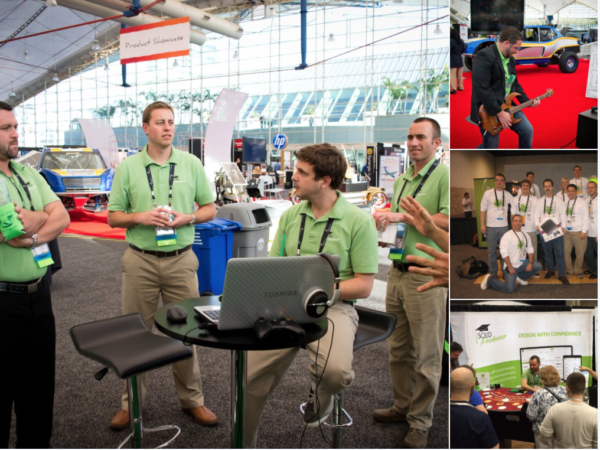
Had a chance again to walk the floor of the Partner Pavilion here at Solidworks World. The product showcases here would make me want to start writing up my Christmas list.

Plane. Check.
Awesome Dune Buggy. Check.
Massively over speced computer. Also check.

Here's a few videos I took while waltzing around and noshing on some pie. (And yes I'm doing everything I can to point out all the free food and drink that is available here).


Another guy I ran into was Phil Sluder. Phil is famous in the Solidworks circle for having attended, and presented at EVERY Solidworks World. He dabbles in a number of things, his Tips and Tricks session is held in high esteem and he clearly wants to pass along knowledge as the back of his business card contains a quick list of hot kets.


I also got a chance to chat with a colleague and friend of mine Brad Engholt, of MyIGetIt.com. I have used www.MyIGetit.com in the past for training and generally liked the product. The low cost is also a nice feature, I'll let Brad make the pitch via video.

SWW10 Day 1 General Session

This morning Jeff Ray took the stage for his annual Keynote. He got the crowd excited right off the bat by announcing that over 5000 people are registered for today at Solidworks World. In times of recession Solidworks Corp. seems to have done something right, engaging customers, avoiding any layoffs, and working in secret on new products; some of which were debuted. Personally I was most excited to see the veil pulled off an on stage desktop to reveal…. an iMac. The excitement tapered as the realization set it off what was being shown. Rather than porting SW over to a mac it appears Mark Biasotti and a few others have been developing a suite of apps that run based off the cloud. Hints of this have been appearing in the past few years with products like 3d Content Central and 3dVia but Jeff was able to say that by year’s end Solidworks will be shipping a product to subscription customers that somehow works in the cloud.

Other notes from the speech. Bernarc Charles, CEO of Dassault Systems, made his first trip to Solidworks World and took the stage with essentially one message in mind. 3D Everywhere! He took the opportunity to give an on stage demo of the 3dVia app I reviewed in the past.
After Jeff was done Wowing the crowd and pointing out a few key folks, including my seat neighbors and fellow ESP users Larry Marvet and Jared Huffman, he pass the mic to James McLurkin.

James, despite a minor hiccup in power point, easily showed the crowd his intelligence by talking way over their (and my) heads regarding swarm algorithms as it applies to robots. More exciting though was his demo of said swarm. It seems a theme of Solidworks World that someone MUST drive a robot on stage. James also left everyone with a pointed message asking for the 5000 Nerds in attendance to have some pride in their nerdiness.

The speeches were great and the software teasers were just enough to get everyone in the mood for 3 days of Solid modeling fun. Below is a video preview of the demo. Stayed tuned for more to come.

*Edit* Just kidding on the video. I guess video from General session is not allowed. Boo.

In Line at SWW10 General Session

With a small meal in my belly this got under way with this mornings General Session. Although I had a reserved seat I wanted to arrive early and make sure I knew what was going on. It seems a few others had hear the stories of the mad rush for good seats and arrived early as well. I had a chance to speak with Dave Moore and Daniel Bertschi who held the title as first in line for General Session.

 
© Copyright by 3D Engineer - Exploring the world of 3D CAD, Engineering and Manufacture  |  Template by Blogspot tutorial